Summary:
Relying on disconnected tools creates hidden costs through manual data entry, context switching, inconsistent reporting, rising vendor expenses, and security risks. These problems affect growing businesses most because small teams lack the resources to manage complex systems. An integrated CRM centralizes customer information, connects workflows, reduces administrative work, and supports more efficient growth.
Table of Contents
What a Disconnected Stack Really Looks Like?
The Hidden Costs Nobody Puts on a Budget Sheet
The Time Tax of Switching Between Tools
Why Is the Feeling of Being Overwhelmed Real?
Why Do Small Teams Feel This Pain the Fastest?
What Does an Integrated CRM Actually Solve?
A separate tool for every task might seem convenient at first, but over time, it can become overwhelming and slow you down. Using different tools for each task disconnects the workflow, complicates processes, and makes collaboration harder. Eventually, you may find yourself spending more on multiple tools that do not even communicate with each other.
That is why businesses need an all-in-one CRM tool instead of relying on disconnected applications. This blog explores the difference between the two in detail.
What a Disconnected Stack Really Looks Like?
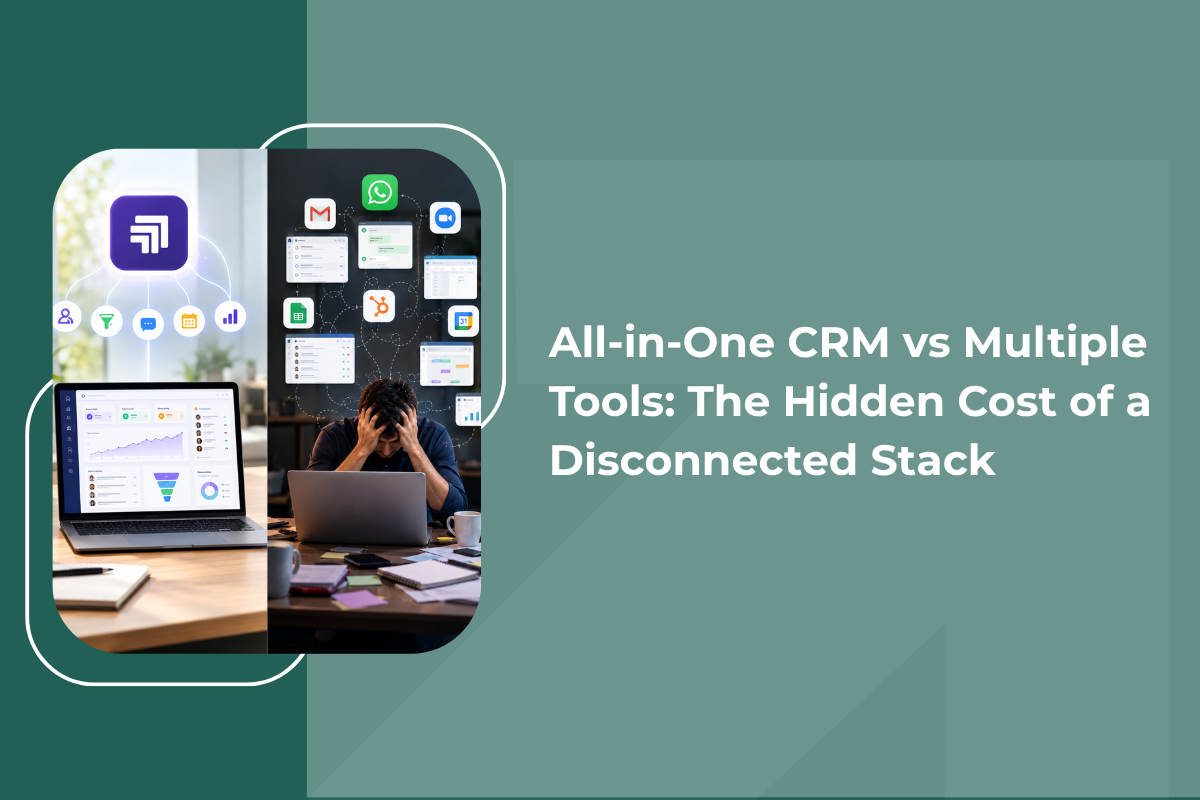
A disconnected stack is what happens when your sales and marketing CRM, your support inbox, your invoicing software, and your reporting tool all live in separate places with no real connection between them. On the surface, everything looks fine because each tool works well individually.
The trouble shows up in the daily grind of the team. A sales rep updates a customer's number in one system but manually copies it into another because the two do not sync. A marketing manager pulls a lead report from one platform. In contrast, sales pulls a different number from another, and nobody is quite sure which figure is correct.
None of this looks dramatic alone, but across a growing team, week after week, it adds up to a real drag on the business. These disconnected systems work well individually, but when used in a workflow, they add up in time and money.
The Hidden Costs Nobody Puts on a Budget Sheet
When businesses compare an all-in-one CRM vs multiple tools, the sticker price is usually the first thing people look at. That is a mistake, because the real cost of a disconnected stack shows up elsewhere, as mentioned below:
Lost Productivity From Manual Work
Every time someone exports a spreadsheet, copies a contact between systems, or re-enters an order manually, it is extra work and not the work that can be counted as work done on customers. These small tasks rarely feel significant alone, but across a week they eat up hours that should have gone toward selling or support.
Data Silos and Poor Decisions
When customer data sits in separate systems, no single person has the full picture. This leads to poor forecasting, missed follow-ups, and decisions based on incomplete information. A truly unified CRM centralises this data in real time, so every team works from one accurate source. A dedicated crm for small business centralises this data in real time rather than data that syncs occasionally and creates gaps.
Rising Vendor and Support Costs
Every extra tool means another license fee, another support contact, and another vendor to manage. When something breaks, teams waste time figuring out which vendor is even responsible before real troubleshooting begins.
Security and Compliance Risk
The more disconnected systems a business runs, the harder it becomes to maintain consistent security. A common example is a sales team emailing spreadsheets full of sensitive customer data simply because two systems will not talk to each other directly.
The Time Tax of Switching Between Tools
There is a cost that rarely gets discussed, and it has nothing to do with license fees. It is the mental and practical cost of constantly switching between apps. Research on multitasking found that logging into and switching between disconnected tools can eat up as much as 40 percent of an employee's productive time, and the average marketer already juggles upwards of ten separate tools to complete a single campaign or customer interaction. That is nearly half a working day potentially lost to context switching rather than actual customer work.
This is not just a marketing team problem. Sales, support, and operations all pay the same tax whenever a customer's information lives across separate, unconnected systems. Each login, each export, and each manual update chips away at times that could have gone into closing a deal or resolving a query faster.
Why Is the Feeling of Being Overwhelmed Real?
If your team feels like it is drowning in tabs and logins, that feeling is backed by data. Recent research found that 42 percent of sales reps feel overwhelmed by having too many tools, and 84 percent of sales teams without an all-in-one platform plan to consolidate their technology. That is close to becoming the norm for teams running a fragmented stack.
This matters even more for growing businesses without a large IT department to hold everything together. Every additional tool in a CRM software comparison is not just a feature checklist; it is another thing your small team has to learn, maintain, and troubleshoot on their own.
Why Do Small Teams Feel This Pain the Fastest?
Large enterprises can often absorb a messy stack because they have specialists: one person owns automation, another owns reporting, and someone else handles integrations. Growing and small businesses rarely have that luxury. The founder, the sales lead, and the support person often share the same overloaded workload, so fragmented software creates admin work nobody has time to own.
This is also where onboarding gets painful. If every process runs through a different tool, training a new hire turns into a scavenger hunt instead of a simple walkthrough. Even something as routine as confirming an appointment in your lead management systemf or sending a quote can require jumping across three systems.
What Does an Integrated CRM Actually Solve?
The case for an integrated CRM software setup is not about having fewer apps for the sake of it. It is about what becomes possible when your sales and marketing CRM, your customer data, and your communication channels sit on one connected system.
A genuinely unified platform gives your business a single home for customer data. Hence, sales, marketing, and support teams see the same accurate, real-time picture of every customer rather than separate, periodically synced copies. It also means your team is not stitching together separate platforms with fragile integrations that break every time one system updates.
This is exactly where Grow Easy fits in for growing businesses. Instead of juggling a separate lead capture tool, a WhatsApp CRM tool, and a spreadsheet for tracking, everything can live in one connected system built around how small and mid-sized teams actually work. If you are exploring how automation and lead tracking work together, our blog on manual vs automated lead management, which approach is better for growing businesses, is a useful next read.
How to Actually Run a CRM Comparison?
If you are weighing all-in-one CRM vs multiple tools for your business, a fair CRM comparison should look past the monthly price tag. A few questions are worth asking honestly:
- How many separate logins does your team use to manage one customer relationship?
- Does your data update in real time everywhere, or does it sync only periodically and create gaps?
- What happens when one of your current tools has an outage or changes its pricing?
- How much time would your team save each week if data moved automatically between systems?
- What would it cost, in hours and errors, to keep manually connecting your current tools as you grow?
Total cost of ownership matters far more than license fees alone. That includes implementation, ongoing support, staff training, and the efficiency gains a connected system can realistically deliver. Large software implementations often run over budget, so it pays to get realistic estimates upfront rather than being surprised later.
Making the Switch Without the Chaos
Consolidating a tech stack can feel intimidating, especially if your team has grown used to its current tools, even if those tools are disconnected. The good news is that a switch does not have to happen all at once. Many businesses see strong results by starting with one function first, such as lead capture and follow-up, before expanding into marketing and support.
What matters most is picking a platform that grows with you instead of one that solves today's problem and creates tomorrow's. As your business scales, an all-in-one CRM should mean less time managing software and more time managing customer relationships, which is the entire point of using one.
If your team is ready to see what a connected system looks like in practice, it is worth exploring Grow Easy's approach on the pricing page to see how sales, marketing, and WhatsApp support can finally live under one roof.