Table of Contents
A salesperson making calls all day loses more time than most people realize just on the mechanics of dialing, looking up a number, typing it in, waiting for it to connect, dealing with busy signals or voicemail, and then manually noting down what happened. A dialer crm is built specifically to strip out this wasted time, letting reps spend it on actual conversations instead.
What Is a Dialer CRM?
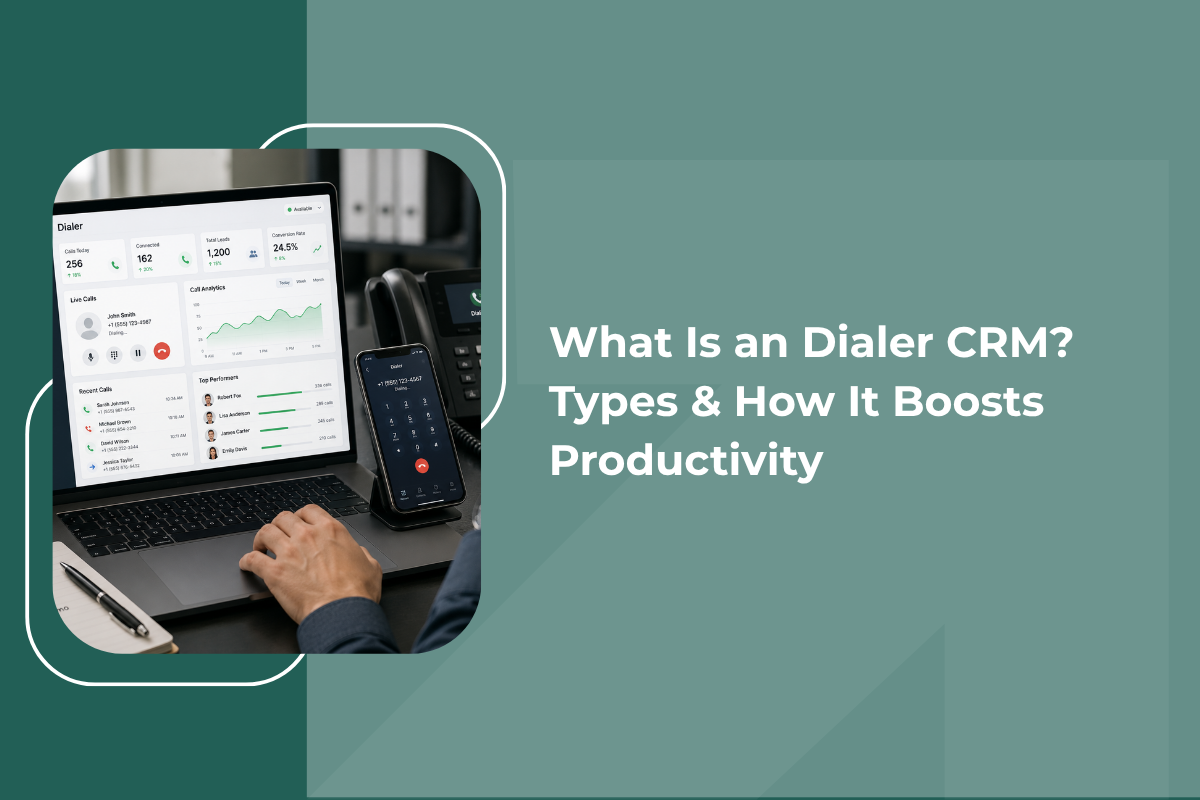
A dialer CRM combines a calling system directly with your customer relationship management platform, so that dialing, logging, and follow-up all happen within one connected workflow instead of switching between a phone and a separate CRM tab. Instead of a rep manually looking up a number and dialing it, the CRM itself initiates or manages the call, and everything that happens during that call, duration, outcome, notes, gets logged automatically against the right contact.
Types of Dialers
Not all dialers work the same way, and choosing the right type depends heavily on your team's calling volume and process.
1. Preview Dialer
Shows the rep the contact's details before the call is placed, giving them a moment to review notes or history. The rep then manually initiates the call. This works well for higher-value conversations where preparation matters more than speed.
2. Progressive Dialer
Automatically dials the next number as soon as the previous call ends, without waiting for the rep to manually initiate it. This removes idle time between calls while still connecting the rep to every call that's answered.
3. Predictive Dialer
Dials multiple numbers simultaneously, predicting how many calls are likely to go unanswered, and connects reps only once a live person picks up. This maximizes the number of live conversations per hour but requires careful tuning to avoid dropped or abandoned calls, a common setup for a loan DSA CRM which rely on high daily call volumes to reach enough prospects.
4. Power Dialer
A power dialer crm dials through a list one number at a time automatically, moving to the next contact immediately once a call ends, striking a balance between the higher output of a predictive dialer and the control of a preview dialer.
5. Click-to-Call Dialer
In the simplest form, a rep clicks a contact's number directly within the CRM interface, and the call is placed instantly without manual entry. This is common in a dialer app built into mobile CRMs for reps who don't need full automated queuing.
Core Features of a Good Dialer CRM
- Automatic call logging
Every call's duration, outcome, and any notes get recorded against the contact automatically, removing the need for manual entry after each conversation.
- Call recording
Recorded calls can be reviewed later for training, quality checks, or resolving any disputes about what was actually discussed.
- Local presence dialing
Some crm dialer software can display a local area code when calling a contact in a specific region, which tends to improve answer rates compared to calls from unfamiliar or out-of-area numbers.
- Voicemail drop
Instead of manually leaving the same voicemail message repeatedly, a pre-recorded message can be dropped automatically, saving significant time across a large calling list.
- Call disposition tagging
After each call, reps can quickly tag the outcome, interested, not interested, call back later, which feeds directly into follow-up scheduling through CRM automation software and reporting.
- Real-time call queue management
Managers can see which reps are actively on calls, how many calls have been made, and adjust call lists or priorities on the fly.
How a Dialer CRM Boosts Productivity
- Eliminates manual dialing time
Across a full day of calling, the seconds spent looking up and typing each number add up to a meaningful chunk of lost time. Automating this alone can noticeably increase the number of calls a rep completes.
- Reduces time between calls
It automatically queues the next contact, reps spend far less time deciding who to call next or manually pulling up the next record.
- Improves data accuracy
Automatic logging means call outcomes are recorded consistently and immediately, rather than relying on a rep's memory or end-of-day notes.
- Prioritizes high-value contacts
Many dialer CRMs allow lists to be sorted or prioritized, ensuring the most promising leads get called first rather than working through contacts in a random or arbitrary order.
- Gives managers real visibility
Instead of asking reps how many calls they have made, managers can see live call volume, connection rates, and outcomes directly through the system.
Choosing the Right Dialer Type for Your Team
- High-value, relationship-driven sales (large deal sizes, longer cycles) tend to benefit more from a preview or power dialer, where preparation before each call matters.
- High-volume outbound calling (large lead lists, shorter conversations) tends to benefit more from a predictive or progressive dialer, where maximizing live connections per hour is the priority
- Field or mobile-first teams often rely most on a simple phone dialer or click-to-call setup built into a mobile app, since full automated queuing matters less than quick, easy access to contacts on the move
A Practical Example
Consider a team of six reps each making around sixty calls a day manually. Between looking up numbers, dialing, and logging outcomes afterward, each rep might lose close to an hour of otherwise productive time daily. Across the team, that's roughly six hours a day, nearly a full extra working day, spent purely on call mechanics rather than actual selling.
With a dialer CRM automating the dialing and logging, that same team can often complete more calls in the same working hours, simply because the mechanical overhead has been removed from the process.
Final Thoughts
A dialer CRM is not about making calls faster for the sake of speed, it is about removing the repetitive, manual parts of calling so reps spend more of their time actually talking to prospects and customers. Choosing the right type of dialer for your specific sales process, and pairing it with automatic logging and call prioritization, can meaningfully increase how much a calling-heavy team accomplishes without adding a single extra hour to the day.
If your team is still manually dialing and logging every call, it is worth exploring how much time, and how many missed opportunities, a proper dialer CRM could recover.