Table of Contents
Ask most sales reps what they did yesterday, and a surprising chunk of the answer won't be "sold things." It'll be "logged calls," "sent follow-up messages," "updated deal stages," and "chased leads that went quiet." Industry estimates put this kind of admin work at 40–60% of a sales rep's day, time spent operating the CRM instead of actually selling. CRM automation exists to close that gap.
If you've ever wondered what CRM automation actually means beyond the marketing buzzword, this guide breaks it down in plain terms, what it is, how it works, what it looks like in a real sales workflow, and how to tell if your team needs it.
CRM Automation, Defined
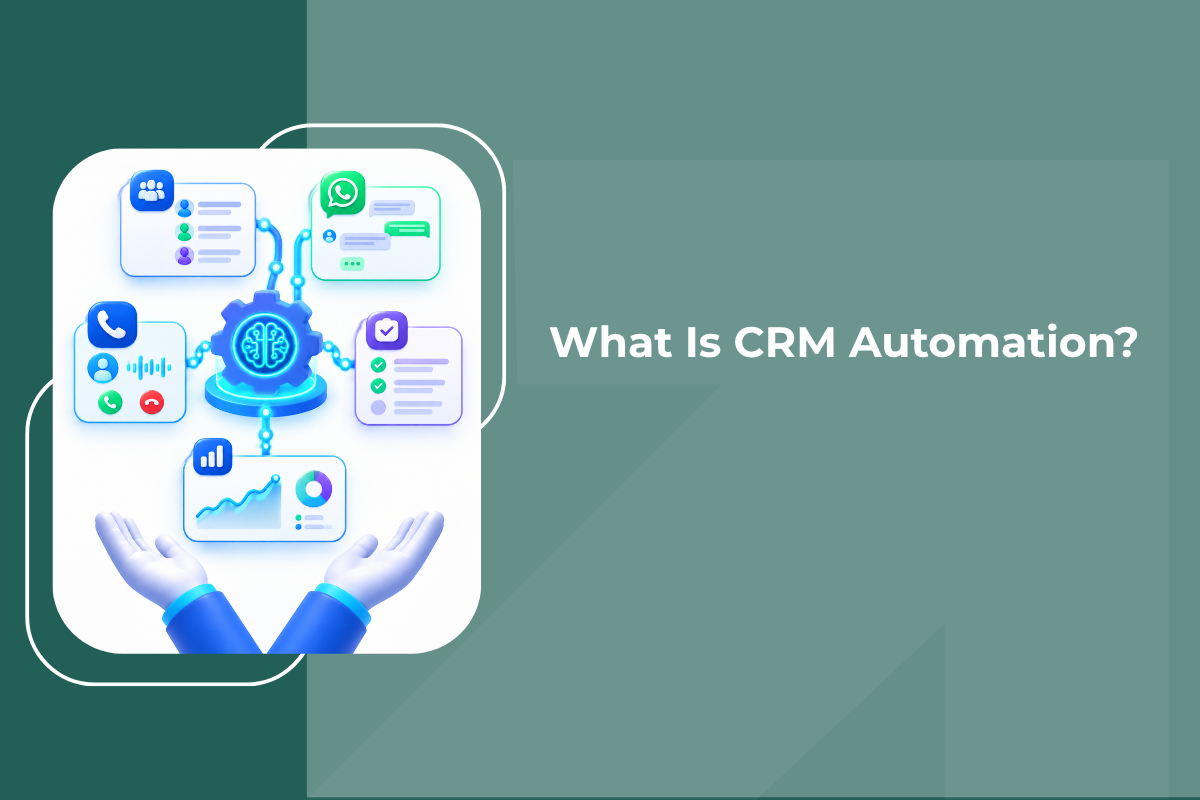
CRM automation is the practice of setting up rules once, inside your CRM, so that routine sales actions, assigning leads, sending follow-ups, scheduling call reminders, updating deal stages, generating reports, happen automatically when a trigger occurs, instead of a person doing them manually every single time.
The core idea is simple: your CRM should work for you, not the other way around. A traditional CRM is essentially a database, it stores information, but a human still has to do everything with that information: decide who gets which lead, remember to follow up, type out the same WhatsApp message for the fifth time today, update a spreadsheet at the end of the week. CRM automation replaces that manual layer with smart workflows that trigger based on what your leads actually do.
How CRM Automation Actually Works?
Every CRM automation follows the same basic structure: a trigger, a set of actions, and sometimes a delay or condition in between.
- Trigger - something happens. A new lead comes in from a Facebook ad. A call goes unanswered. A deal moves to a new pipeline stage. A lead goes seven days without any activity.
- Action, the CRM responds automatically. It assigns the lead to a rep, sends a WhatsApp message, creates a call reminder, updates a deal's status, or notifies a manager.
- Condition/Delay, automations often chain multiple steps together over time rather than firing everything at once. "Send a WhatsApp immediately, then if there's no reply in 4 hours, set a callback reminder, then if there's still no activity in 7 days, trigger a re-engagement sequence."
Put together, this turns a sales process that used to depend entirely on a rep's memory and discipline into something that runs consistently, every time, without anyone having to remember to do it.
A Simple Example
Here's what a basic "instant lead response" automation looks like in practice:
- A lead comes in from a Facebook ad. (Trigger)
- The CRM automatically scores the lead and assigns it to the right sales rep, by source, territory, or round robin. (Action)
- A WhatsApp message goes out to the lead within 60 seconds. (Action)
- A call reminder is created for the rep, due in 2 hours. (Action)
No one touched the keyboard. The lead was contacted almost instantly, the rep knows exactly what to do next, and the CRM record is already up to date, all from one trigger.
Common CRM Automation Workflows
Most sales teams end up relying on a handful of automation patterns again and again. Here are the ones that tend to have the biggest impact:
- Instant Lead Response - New lead arrives → gets scored and assigned → receives a WhatsApp message within seconds → rep gets a call reminder. This single automation is often the highest-leverage one a business can set up, because speed-to-lead is one of the strongest predictors of whether a lead converts at all.
- No-Pickup Recovery - A call goes unanswered → an automatic WhatsApp message goes out → a callback reminder is set for a few hours later → the lead's status updates in the CRM. Without this, an unanswered call often just... sits there, forgotten.
- Deal Stage Automation - When a lead moves to "Proposal," a brochure or pricing document is sent automatically via WhatsApp, and a follow-up call gets scheduled a couple of days out. The CRM reacts to pipeline movement instead of waiting for a rep to remember the next step.
- Cold Lead Re-Engagement - A lead sits idle for 7 days → gets a re-engagement WhatsApp message → gets called by an AI voice agent the next morning → gets re-scored based on the response. This prevents leads from going cold and recovers opportunities that would otherwise quietly die in the pipeline.
- After-Hours Lead Handling - A lead comes in after 6 PM → an AI voice agent calls within 60 seconds, qualifies them, and books a meeting → the assigned rep gets briefed with an AI summary by 9 AM the next day. This is one of the workflows manual processes simply cannot replicate, because no sales team works 24/7, but leads don't stop arriving just because your office is closed.
- Hot Lead Escalation - The moment AI scores a lead as 90%+ intent, it is auto-assigned to a senior rep, the manager is notified with a summary, and a call reminder is created for the next 30 minutes. Your best leads never sit in a general queue waiting their turn.
- Daily Manager Briefing - Every morning at 9 AM, a summary is generated automatically: yesterday's calls, deals, conversions, and which hot leads need attention today, delivered straight to the manager's phone.
Why CRM Automation Matters More on WhatsApp and Calls Than on Email?
Most CRM automation tools were originally built around email, send this email when that trigger fires. That's useful, but for a huge number of businesses, especially in India, WhatsApp and phone calls are where actual sales conversations happen, not email. A CRM automation system that only automates email is automating the channel your leads are least likely to respond on.
This is why automation that natively covers WhatsApp sequences, call reminders, and even AI voice agent calling tends to have a far bigger impact than email-only automation, it is automating the parts of the sales process leads actually engage with. GrowEasy's CRM automation software is built specifically around this, WhatsApp, calling, and AI voice agents are automated natively, not bolted on as a third-party integration.
What CRM Automation Is Not
it is worth being clear about what CRM automation doesn't do, because the term gets stretched to mean different things:
- it is not replacing your sales team - Automation handles the repetitive, time-based, rule-following parts of the process, sending the first message, creating a reminder, updating a record. The actual sales conversation, negotiation, and relationship-building still needs a human.
- it is not a one-time setup that never changes - Good automation gets reviewed and adjusted as your sales process evolves, new lead sources, new products, new team structure.
- it is not the same as AI lead scoring - Though the two work closely together. Scoring tells you which lead matters most; automation determines what happens once that's known. A hot-lead escalation workflow, for instance, depends on AI scoring to know which leads count as hot in the first place.
- it is not just for large enterprises - In fact, small and growing teams often benefit the most, because automation covers the ground that a bigger team would otherwise need extra headcount to handle.
Signs Your Sales Team Needs CRM Automation
You're probably losing more to manual gaps than you realize if:
- Leads regularly go a few hours (or longer) without any response after hours or on weekends.
- Reps say they "meant to follow up" but didn't get to it.
- No one can tell you, with real numbers, how long it takes on average to make first contact with a new lead.
- Deal stage updates depend entirely on reps remembering to log them.
- Reports are compiled manually at the end of the week, which means managers are always looking at outdated information.
If several of these sound familiar, the fix generally isn't "ask the team to be more disciplined." it is removing the dependency on memory and manual effort altogether.
Getting Started with CRM Automation
- Start with your highest-leverage workflow first, for most businesses, that's instant response to new leads. Speed-to-lead has the single biggest impact on conversion of any automation you can set up.
- Add no-pickup and follow-up recovery next. These recover leads that would otherwise silently fall through the cracks.
- Layer in deal-stage automation so the CRM reacts to pipeline movement instead of a rep remembering the "next step" playbook.
- Add time-based re-engagement for leads that go quiet, so nothing gets permanently written off without at least one more attempt.
- Automate reporting last, once the workflows above are running, reporting on their impact becomes far more meaningful.
A no-code workflow builder makes this achievable without any technical setup, most CRM automation platforms, including GrowEasy, come with pre-built automation "recipes" you can switch on rather than building every workflow from scratch.
The Bottom Line
CRM automation isn't about adding more software to your stack, it is about removing the manual work that sits between a lead arriving and your team actually engaging with them. Done well, it means every lead gets a fast first response, every unanswered call gets a recovery attempt, every stalled deal gets nudged forward, and every manager starts the day with a clear picture instead of a stack of unread updates.
Once the basic automations are running, the natural next question becomes: how do you know your team, human or automated, is actually performing well? That's covered in our guide to what sales team management software is and how modern teams eliminate bottlenecks."
If you're evaluating CRM automation for your own team, GrowEasy combines WhatsApp CRM, lead management, telecalling, and AI voice agents with automation built in natively across all of them, see pricing or book a free demo to see it on your own leads.
FAQs
What is CRM automation and how does it work?
CRM automation is the process of using your CRM to automatically execute tasks like assigning leads, sending WhatsApp messages, scheduling call reminders, and updating deal stages based on triggers and rules you set up once, rather than a person doing each step manually every time.
Do I need technical skills to set up CRM automation?
No, not with a modern platform. Most CRM automation tools today include a no-code, drag-and-drop workflow builder, and many come with pre-built automation templates for common sales scenarios that you can switch on without configuring anything from scratch.
Is CRM automation only useful for large sales teams?
No, small and growing teams often see the biggest relative benefit, since automation covers work that would otherwise require additional headcount. A 3-person sales team running solid automation can often out-respond a much larger team working manually.